
Bob Player M3U Setup – How to Add IPTV Playlist
Bob Player M3U setup is quick and easy once you know where to enter your IPTV link.
In this guide, you’ll learn how to add your M3U playlist, connect your device, and solve common loading issues in minutes.
How Playlist Management Works in Bob Player
Bob Player stores your IPTV playlist online through its official management portal.
This means:
– You upload your M3U link on the website
– The playlist syncs automatically with your TV
– No USB stick or manual transfer required
To complete the setup, you need:
– MAC Address
– Device Key
– M3U URL from your IPTV provider
⚠ Important: Bob Player does not provide channels or subscriptions.
An external IPTV provider is required.
Before You Start – Open Bob Player
Launch the app on your Smart TV.
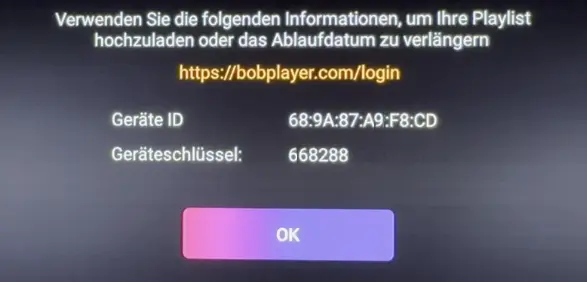
On the screen, you’ll see:
– MAC Address
– Device Key
Keep this information ready. You’ll need it to log in.
Bob Player M3U Setup Step-by-Step Guide
Step 1 – Open the Official Website
On your phone or computer, visit the official Bob Player website.
When prompted, click “Accept legal terms” to continue.
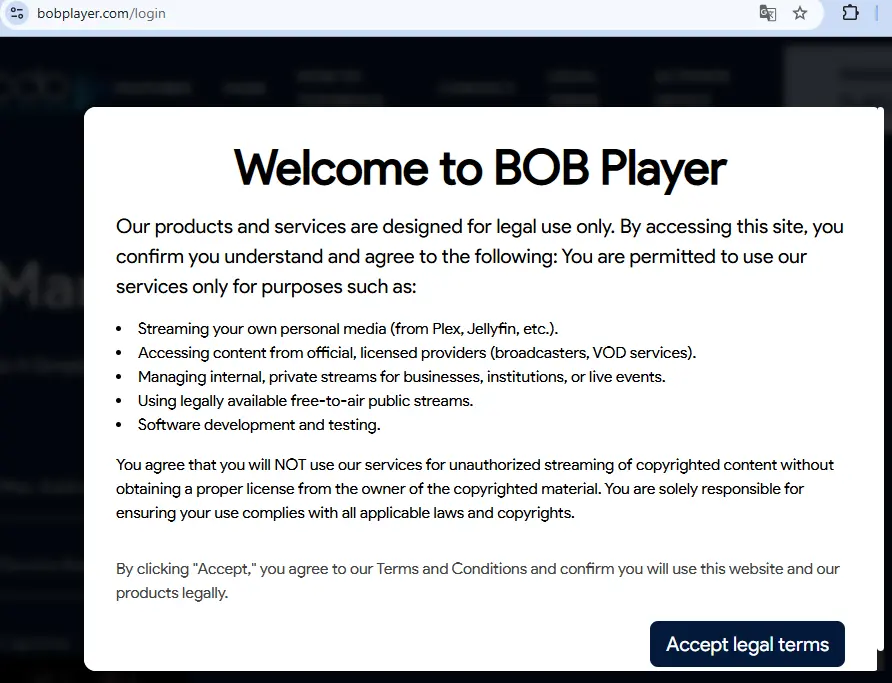
Then select Manage Playlist.
Step 2 – Login to the Playlist Dashboard
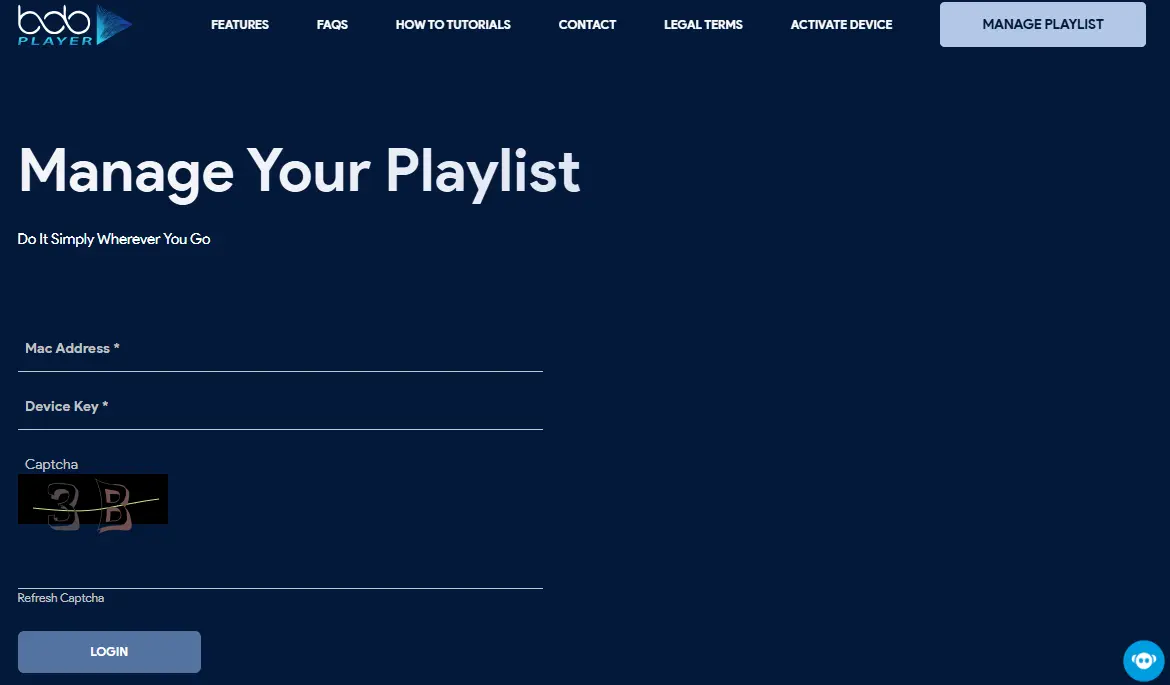
Nach Klick auf „Manage Playlist“ gelangst du zum Login-Bereich.
Enter:
– MAC Address
– Device Key
– Security Code
Click Login.
You will now see your Manage Playlists dashboard.
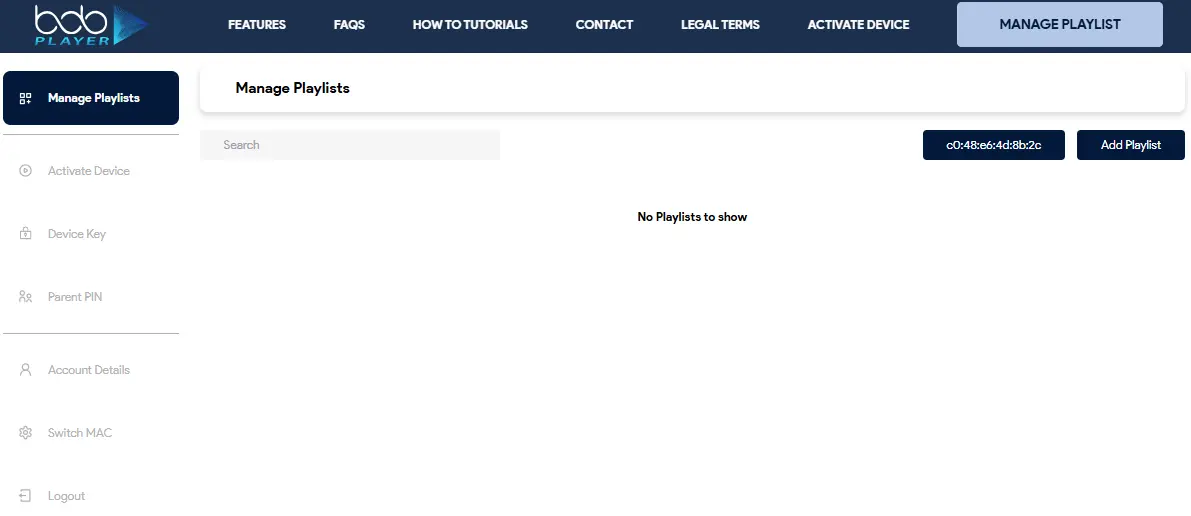
Step 3 – Add a New Playlist
Click Add Playlist.
Now you can:
– Enter a playlist name
– Paste your M3U URL (.m3u or .m3u8)
– Optionally enable playlist protection (PIN)
Click Save.
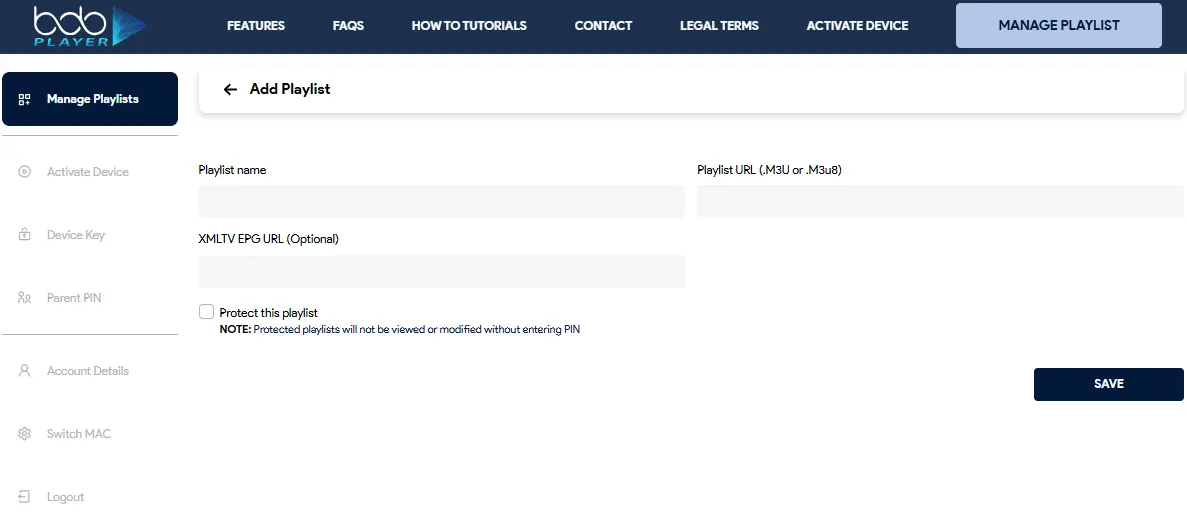
If you activate “Protect this playlist,” a PIN will be required for future changes.
Step 4 – Load Playlist on Your TV
After completing the Bob Player M3U setup, restart the app to load your channels.
Your channels will now load automatically.
How to Replace an Old IPTV Link
If your provider sends a new URL:
– Log in again
– Edit the existing playlist
– Replace the old link
– Save
– Restart the app
The update applies immediately.
Fix Common Bob Player M3U Setup Issues
If your channels don’t show up, it’s usually one of these:
– Incorrect M3U link
– Extra space in the URL
– Expired IPTV subscription
– Inactive Bob Player license
Most issues are link-related — double-check the URL carefully.
Why Many Users Choose Bob Player
✔ Online playlist management
✔ Multiple IPTV lists supported
✔ Clean interface
✔ Kein USB-Stick notwendig
✔ Fast synchronization
✔ No USB required
It’s designed for simplicity and stability.
🔓 Important: Activation May Be Required
If your free trial has expired, playlists may not save properly.
In that case, you’ll need to activate Bob Player before using it long-term.
FAQ - Bob Player M3U Setup
How long does the Bob Player M3U setup take?
The setup process usually takes less than 5 minutes. Once your M3U link is added and saved, simply reload the app and your channels should appear.
Do I need a computer to add my IPTV playlist?
No. You can use your smartphone, tablet, or computer to access the official playlist management website.
Can I add an EPG (TV Guide) to Bob Player?
Yes. If your IPTV provider offers an XMLTV EPG URL, you can enter it together with your playlist to display program information.
What happens if I enter the wrong M3U link?
If the URL is incorrect or incomplete, your playlist will not load. Always copy the full link and avoid extra spaces at the beginning or end.
Does Bob Player support M3U8 links?
Yes. Both .m3u and .m3u8 formats are supported.
Why are my channels buffering?
Buffering is usually related to:
-
Slow internet connection
-
IPTV provider server issues
-
High network traffic
Bob Player does not host streams — it only plays content from your provider.
Can I delete a playlist later?
Yes. Inside the playlist dashboard, you can edit or delete any saved playlist at any time.
Is Bob Player compatible with VPN?
Yes. Bob Player works with most VPN services. If your IPTV provider requires a VPN, make sure it is connected before launching the app.
What does “Inactive” mean in the dashboard?
“Inactive” typically means your license has expired or activation has not been completed.
Can I transfer my license to another device?
Licenses are usually tied to the device’s MAC address. If you change devices, a new activation may be required.
Is Bob Player free?
Bob Player may offer a trial period. After that, activation is required to store playlists permanently.
Is Bob Player legal?
Bob Player is a media player application. The legality of the content depends entirely on your IPTV provider and local regulations.